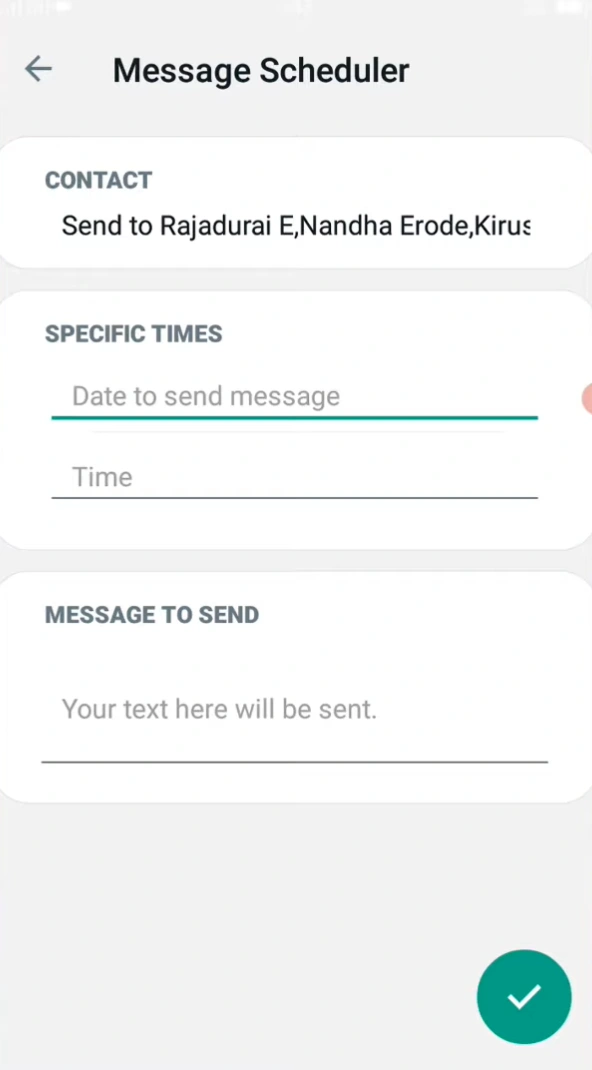
Where to set it
Open the chat. Look for Schedule, Message scheduler, or a clock in the attachment menu. Names change by build. Pick a time at least a few minutes ahead so the queue can save it. If you do not see any of those words, this version does not include scheduling. Updating does not guarantee the menu will appear.
Turn off battery optimization for GB WhatsApp Pro if you need a message to leave overnight. A phone that sleeps hard can hold the text until you open the app, which is later than the time you picked.
Check or cancel a queued message
Some builds list pending items under GB settings or when you long-press the send area. Others only let you cancel and write it again. Send a test to yourself a few minutes out before you rely on it for someone else.
If the time passes and the message sits on the clock like a normal unsent text, the queue is not the only issue. Treat it as a GB WhatsApp message that never leaves the phone: connection, date and time, then battery limits.
If nothing sends while the screen is off
Android can block background work even when the scheduler inside the app is correct. Allow notifications and unrestricted battery use. After that, open the app once near the send time if the phone is aggressive about sleep. Scheduling cannot send while the phone is powered off.
Notifications that never appear, even for normal new chats, point at the system settings rather than the clock you set. Check GB WhatsApp notifications that stay silent before you delete the scheduled text and start over.