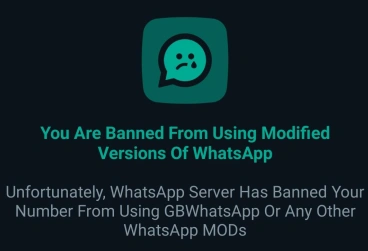
What WhatsApp actually does
WhatsApp’s help pages name unofficial apps, including GB WhatsApp, as something they do not support. The usual results are a temporary limit, a logout, or a screen that tells you to continue in the official app. They do not publish the exact signals they use, so “anti-ban” toggles are guesses.
A restriction is about the phone number, not the APK file sitting in Downloads. Installing a newer mod does not wipe earlier warnings on that number.
Temporary limit or something stricter
| What you see | What it usually means | What to do first |
|---|---|---|
| A countdown, often hours or a few days | Temporary limit | Stop using the mod until the timer ends. Do not request new SMS codes in a loop. |
| “Use official WhatsApp” and you are logged out | The client was rejected | Open the official app if you still need the number. Do not hop to another mod the same hour. |
| You can chat, but sending is capped | A limit, not a full logout | Stop bulk sends and scheduled blasts. Wait before changing apps. |
Write down the exact sentence and the timer length. That is what separates a client warning from a normal SMS failure. If you are looking at a countdown, how to read a GB WhatsApp restriction timer walks through the next checks.
What raises the chance
Using the mod at all is already outside the supported app. Bulk messaging, auto-replies to strangers, and scraping group members add a second reason for a limit. A quiet personal chat is lower risk than a broadcast habit. It is not zero risk.
Labels such as “anti-ban” or “ban-proof” do not change that. Those switches usually hide a tick or freeze last seen. They are not a pass from WhatsApp.
If the number matters
Banking OTPs, a work line, or a verified business account should stay on official WhatsApp. If you already need to leave the mod, back up anything the current build can export before you uninstall. Moving the same number to official WhatsApp does not guarantee every GB chat will import.