What it changes
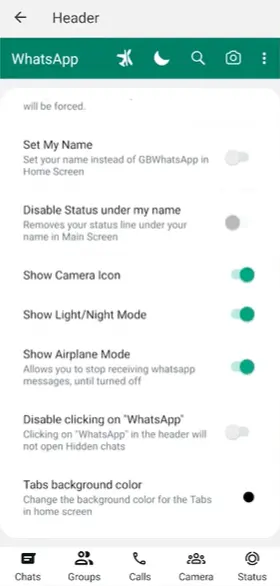
Depending on the build, GB DND may freeze how you appear online, quiet notifications, or hold messages until you turn it off. It does not always block WhatsApp calls, and people in groups may still see activity. Send a test from a second phone before you count on it for a meeting.
Turn it on and off
Look in GB Settings under Universal, Other, or Privacy for DND, or a label like freeze last seen. Some versions add a shortcut on the chat list after you enable it once. Use the same switch to turn it off. If a banner stays on screen, tap that banner.
After you turn it off, stay on Wi‑Fi for a minute so held messages can arrive. If the phone stays silent for ordinary chats too, Android notifications are off as well. That is GB WhatsApp notifications that do not appear after DND is off, not another tap on the DND switch.
The option is missing
If settings have no DND wording, your build does not include it. Android’s own Do Not Disturb will still silence sounds, but it will not change last seen inside WhatsApp. Battery restrictions can also stop messages while you think DND is off.
When DND is off and new messages still never show up in the chat list, the problem is delivery, not the switch. Check GB WhatsApp messages that do not arrive before you reinstall.